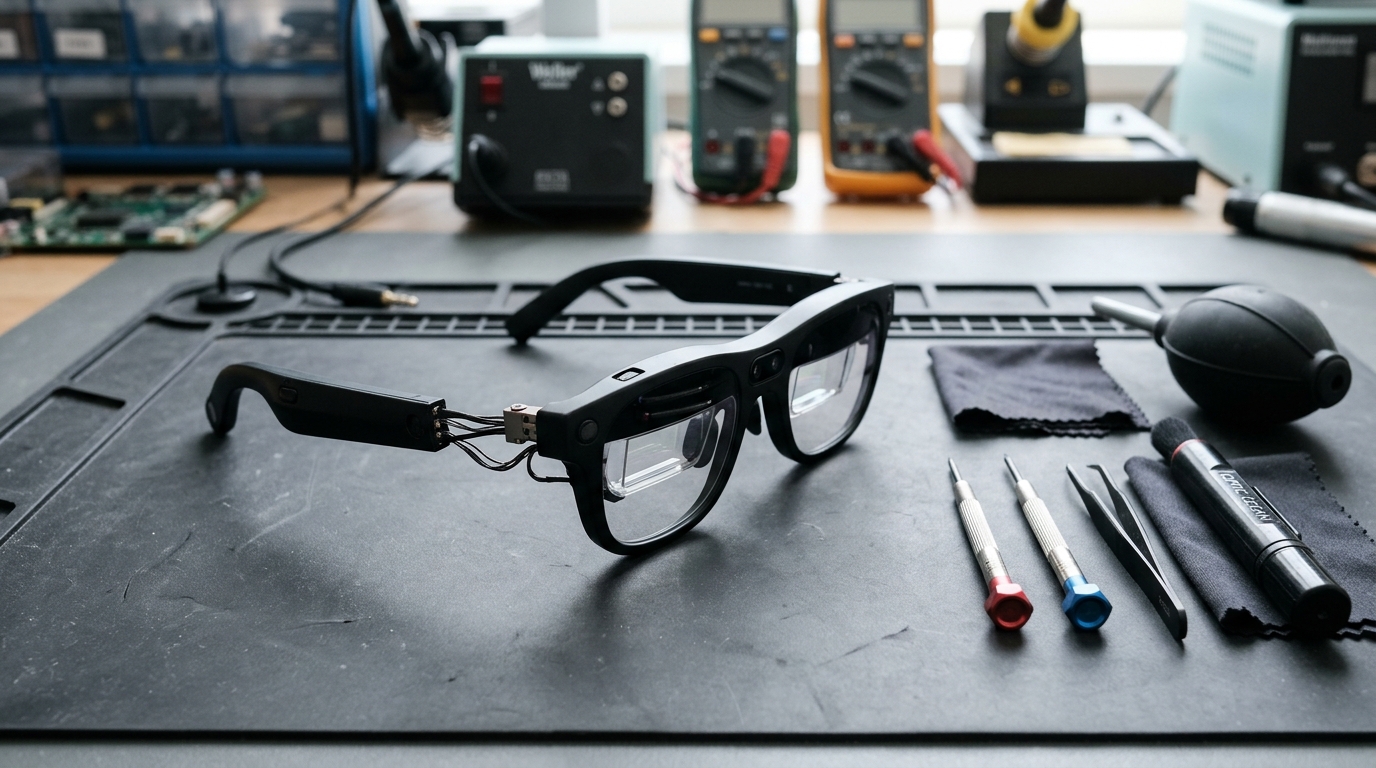
RockIT Repairs VR & AR Workbench · Fredericksburg, Virginia
Seeing a black screen, colored lines, or bright spots in your VITURE, Rokid, or RayNeo glasses is frustrating, especially when you just want to relax and watch a movie. You do not need to buy a brand-new pair of AR glasses. At RockIT Repairs, we replace damaged displays inside these exact glasses every day so you can get back to a clear, crisp picture.
Service Summary & Guarantees
- Supported Device
- XREAL, VITURE & AR Glasses VITURE, Rokid & RayNeo Glasses
- Inbound FedEx Label
- Free ($0 Prepaid Ground)
- Bench Checkup & Quote
- Free ($0 Paid Upfront)
- If Quote Is Declined
- Free Return Shipping
- Repair Warranty
- 90-Day Parts & Labor
- Virginia Repair Lab
- Fredericksburg, VA 22401
Quick Takeaways Before You Ship
- Tiny internal screens can fail from a drop, pressure in a bag, or sunlight hitting the lenses.
- Pay $0 upfront with a free FedEx Ground shipping label and a completely free bench checkup.
- Every display replacement is tested thoroughly and backed by our 90-day warranty on parts and labor.
Signs You Need This Repair
- One eye is completely black while the other side still shows your screen.
- Vertical or horizontal colored lines are stuck across your view.
- Yellow, purple, or dark burn spots stay in the same place no matter what you watch.
- The picture flickers, dims, or cuts out when you gently tap or adjust the glasses.
What Happened Inside & How We Fix It
| What You Notice | Likely Hardware Cause | Our Bench Fix |
|---|---|---|
| One eye is completely dark | The tiny screen inside that side has burned out or lost its internal connection. | We carefully open the frame and install a brand-new, tested replacement display. |
| Colored lines or static across the view | The display panel was cracked or stressed from a drop or tight packing. | We swap out the damaged screen and check all internal cables for a clean signal. |
| Permanent sun spots or dark blobs | Direct sunlight or heat focused through the lenses and burned the screen. | We replace the burned display unit and test brightness and color balance. |
Safe Quick Checks at Home
- Try a different USB-C cable and plug the glasses into another phone, tablet, or laptop to rule out a bad cord.
- Clean the outer lenses gently with a dry microfiber cloth to make sure spots are not just smudges.
- Check your device display settings to make sure brightness is turned up and 3D mode is not causing a split-screen glitch.
Mistakes to Avoid
- Do not try to pry open the plastic arms or lens housing with a knife or screwdriver, as the tiny parts inside snap easily.
- Never leave your AR glasses sitting in direct sunlight or on a hot car dashboard, which can burn the screens even worse.
- Avoid using liquid glass cleaners or alcohol sprays directly on the lenses, since moisture can seep inside and damage the electronics.
How We Fix Your VITURE, Rokid & RayNeo Glasses
We make getting your gear fixed simple and stress free:
- 01. 1. Ship it for free
Print your free FedEx Ground shipping label right on this page, pack your glasses safely in a sturdy box, and drop it off.
- 02. 2. Free checkup
When your box arrives at our Fredericksburg, Virginia shop, we test your glasses on the bench for free to find the exact problem.
- 03. 3. Approve your quote
We send a fair price quote by email and text for you to approve online. You pay $0 upfront, and if you decline, we cover return shipping back to you.
- 04. 4. Fast repair and 90-day warranty
Once approved, we install the new display, test everything thoroughly, and back our work with a 90-day warranty on parts and labor.
Have questions before you ship? Our friendly team is here to help! Reach out to RockIT Repairs at 1319 Lafayette Blvd. #300 Fredericksburg, Virginia 22401, call us at 540-412-8824, or email rockitrepairs@gmail.com.
Common Questions About VITURE, Rokid & RayNeo Glasses Repair
Is it worth fixing my VITURE, Rokid, or RayNeo glasses instead of buying new ones?
Yes. Replacing a damaged screen costs much less than buying a brand-new pair of AR glasses, and your repaired unit will look and work like new.
What if the problem is just a loose cable and not a dead screen?
Our free checkup will tell us for sure. We only quote you for what your glasses actually need, and you never pay anything until you approve the quote.
How long does the repair take?
Most display repairs are completed within a few business days after you approve your quote, and we ship them right back to you.
What does the 90-day warranty cover?
Our 90-day warranty covers both the replacement parts we install and our labor, so you can enjoy your glasses with peace of mind.